 Matt Transcriber
The exchange-student friend who texts you in Spanish. The colleague who sends voice notes in Italian. The international family group where three languages coexist. If you've ever received a voice note in a language you don't understand (or only half understand), there's a way to read it in yours within seconds.
Translate a voice note in 4 steps
- Share the voice note with Matt (long-press → Forward → Share → Matt);
- Matt automatically detects the language and transcribes the message;
- Tap Translate;
- Read the text translated into your language, in real time.
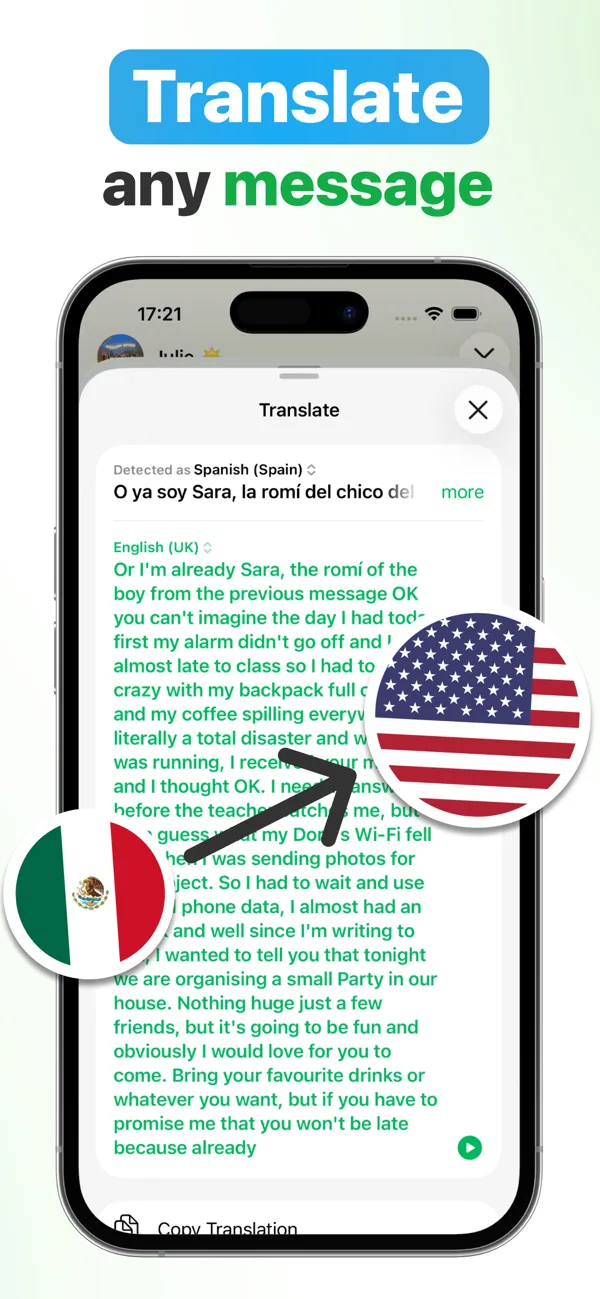
90+ transcription languages, detected automatically
Nothing to set up: Matt detects the language by itself, even when several are mixed in the same voice note. It transcribes voice notes in English (US, UK, AU, CA, IN…), Spanish (ES, MX, AR…), French, German, Italian, Portuguese, Dutch, the Scandinavian languages, Russian, Japanese, Chinese, Korean, Arabic, Turkish, Polish, Hindi, Hebrew and more — and translates the text into your language.
Why it beats copy-pasting into a translator
- One single step: no transcribe-copy-paste dance across three different apps;
- Works on texts too: you can also share written messages in foreign languages with Matt for translation;
- Privacy, your choice: with on-device transcription (Pro) everything, translation included, happens on your iPhone, even offline; with AI transcription (Premium) the audio goes through an encrypted cloud, with your consent, and is never stored;
- Bonus: if the translated voice note is also endless, summarize it with AI.

Understand every language
Download Matt for free and translate your first voice note in real time. ★ 4.9 on the App Store.
Download on the App StoreFrequently asked questions
Do I need to know the language of the voice note?
No: Matt automatically detects the language spoken in the message.
Does translation work offline?
Yes: in on-device mode transcription and translation run entirely on your iPhone and even work in airplane mode.